How it works
From a column of numbers to a finished graph.
No scripting and no fiddling with defaults. The graph is correct when it first appears, and every setting is one click away.
Bring your data
Type it in, paste from Excel with Ctrl+V, or import CSV, XLSX or ODS. Mark columns as X, Y, ± error or labels. An error column next to a Y column becomes its error bars.
Pick a chart
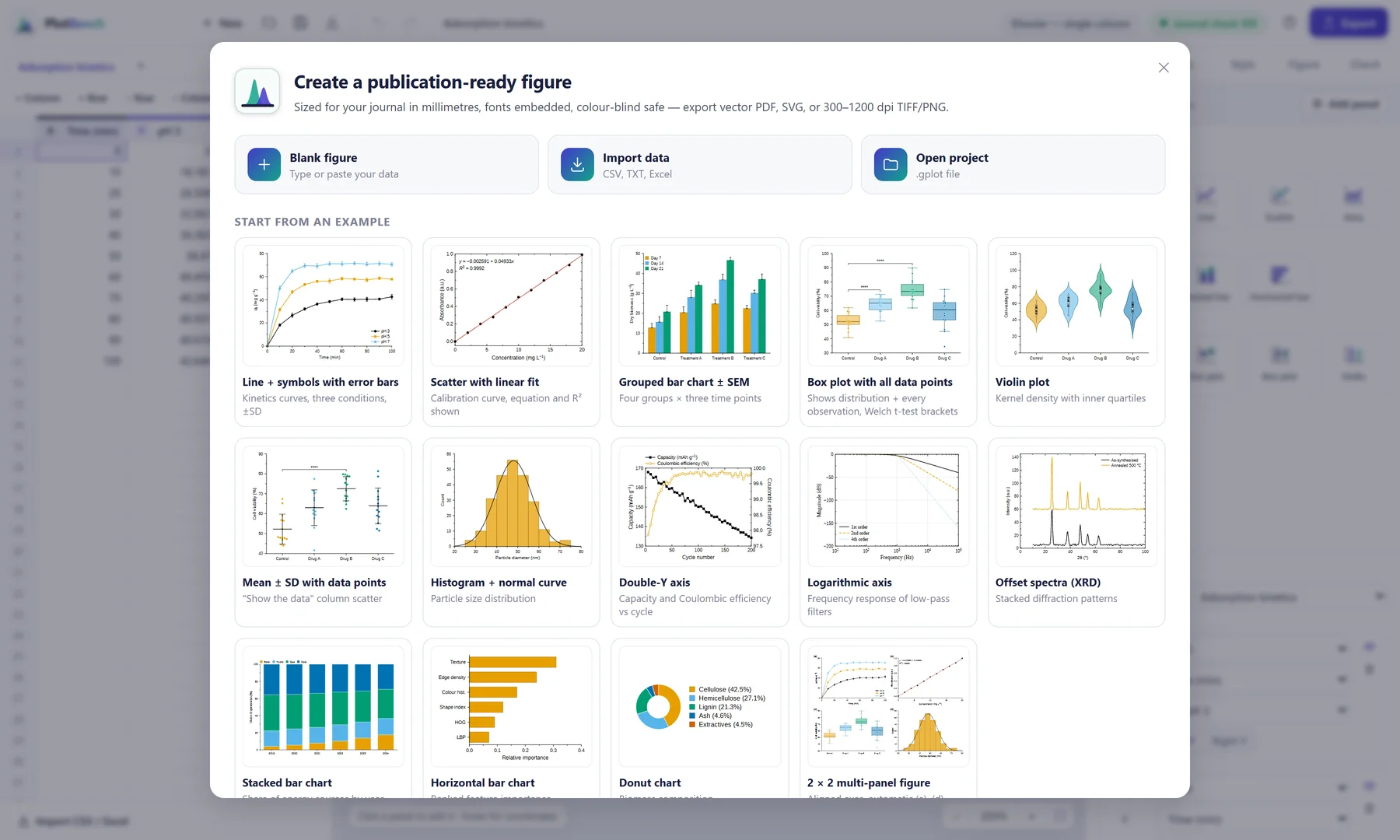
Choose from 13 chart types, or open one of 14 worked examples and swap in your own numbers.
Analyse on the plot
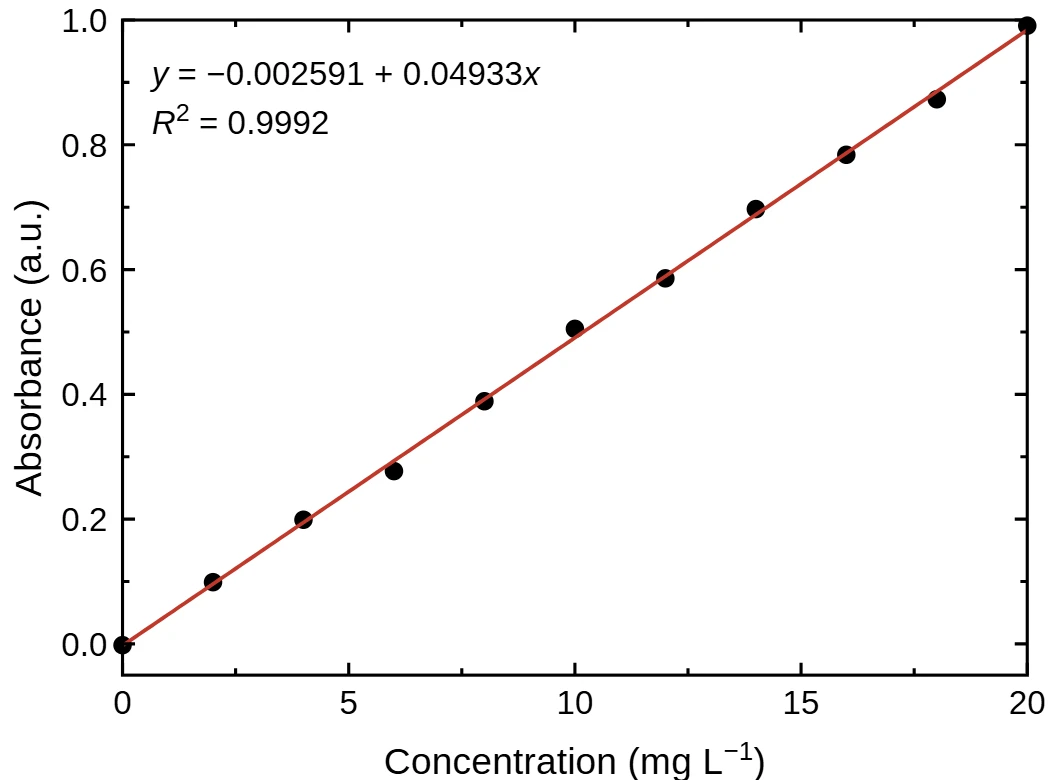
Add a curve fit with its equation and R², choose SD, SEM or 95 % CI error bars, and mark significant differences with t-test brackets.
Send it where it's going
Copy straight into Word or PowerPoint, or export PDF, SVG, TIFF or PNG at up to 2400 dpi.
Lab report to journal
One app for every graph you'll make in your degree and after it.
Undergraduates
Lab reports and assignments
Clear axes with proper units, error bars and a trend line in minutes. Paste the graph into your Word report and move on.
Final-year & postgraduate
Projects and theses
Thesis presets fit the A4 text block and match your body text, so every chapter's graphs look like one document.
Lecturers & presenters
Slides, posters and notes
Slide and poster presets set type large enough for the back row. Share one .gplot file with students, data included.
Researchers
Journal and conference papers
Presets for IEEE, Elsevier, Nature, Springer, ACS, PLOS, MDPI, IEEJ, IEICE and more set the width, fonts and DPI for you.
Change the destination. The graph follows.
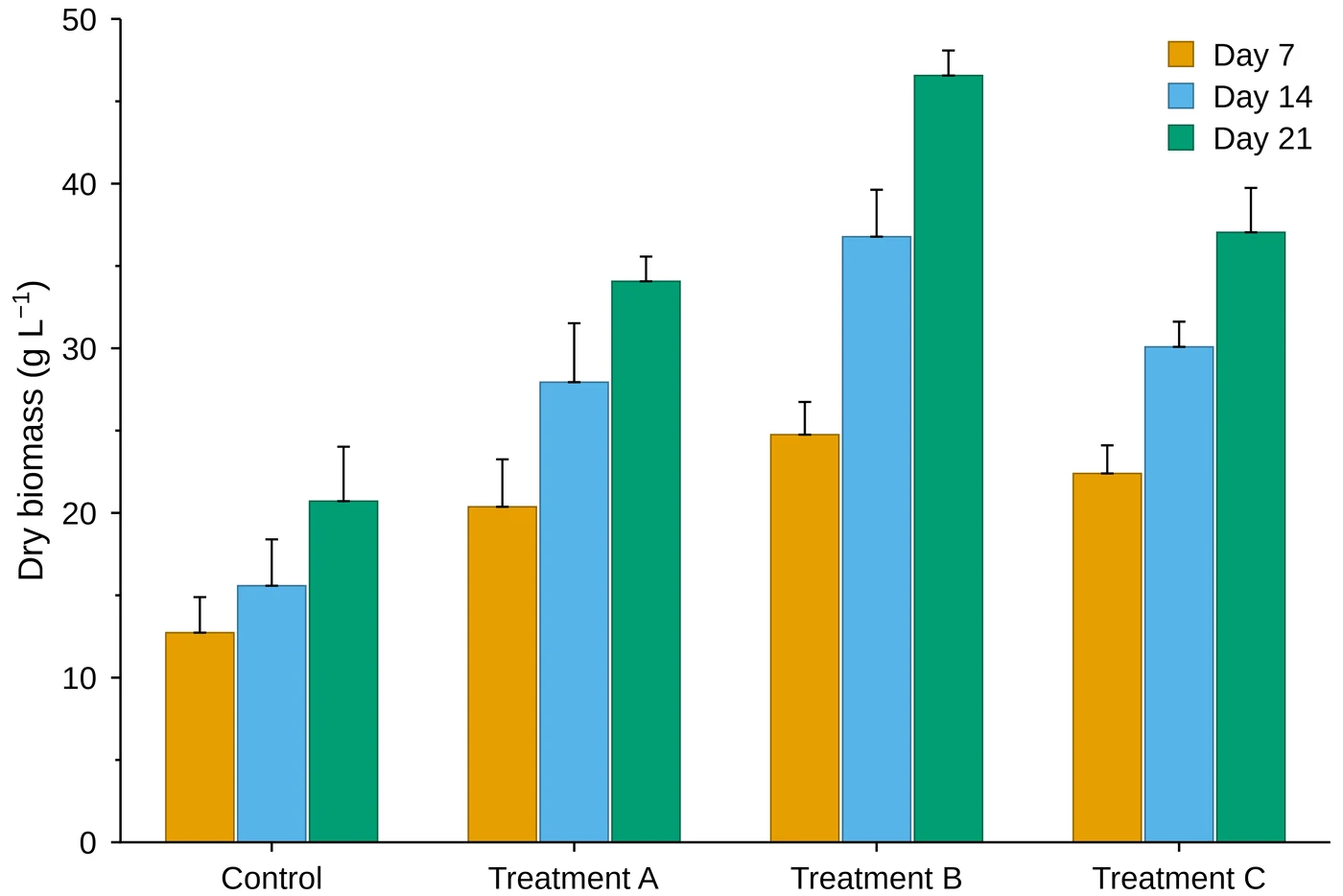
The same data, redrawn for each target at its real printed width. Font, text size, line weight and resolution change with it.
Built-in check
Catches what markers and reviewers notice.
The Check tab scores your graph against the chosen target's rules and fixes most problems in one click.
- Text large enough to read once printedSub- and superscripts included.
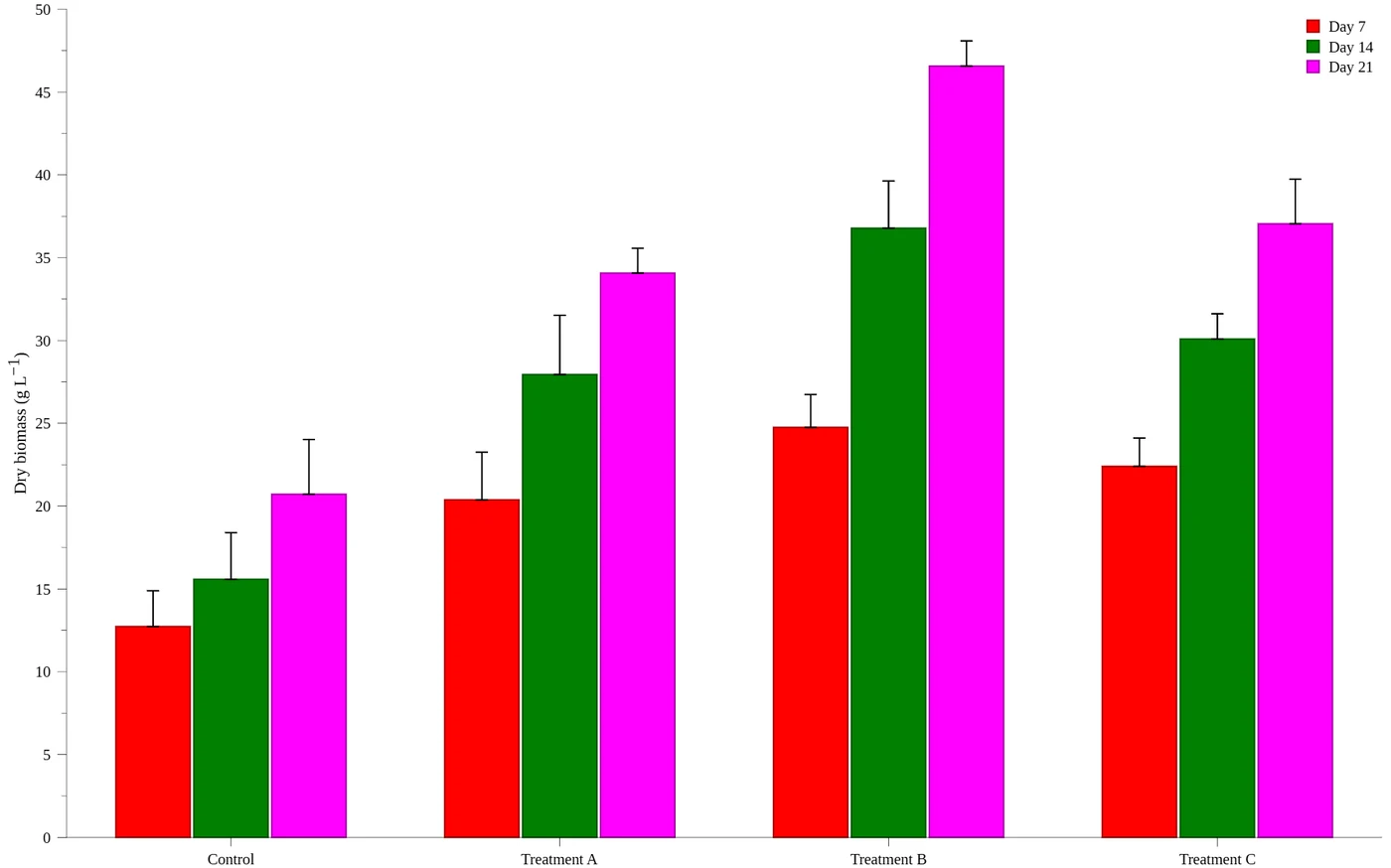
- Colours that stay distinct for colour-blind readersChecked for protan, deutan and tritan vision.
- Width that fits the page or columnPlaced at 100 %, so nothing is rescaled.
- Line weights, resolution and embedded fonts
- Honest statisticsWarns when a bar of means hides 30 or fewer data points.
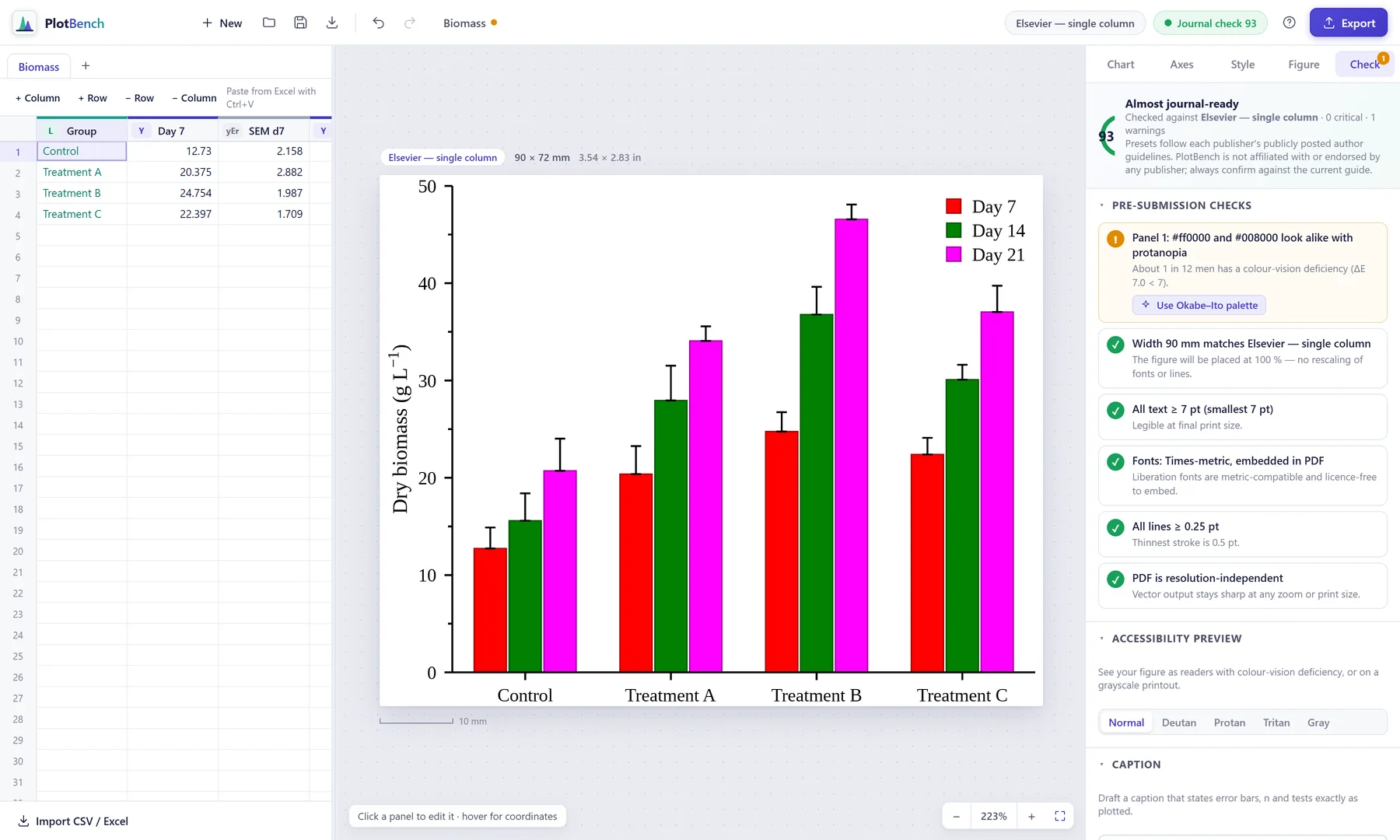
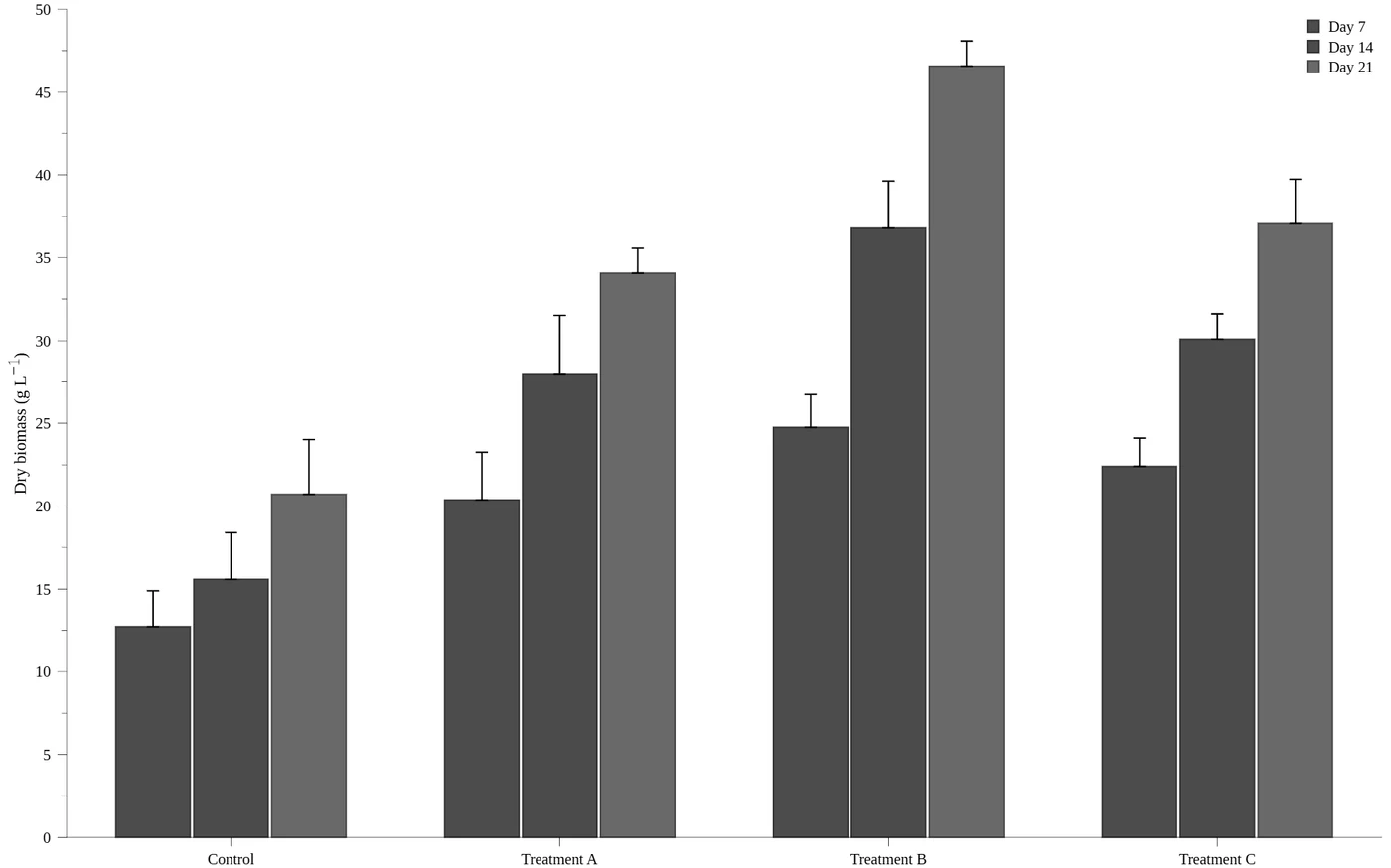
Red and green bars look alike to readers with protanopia, about 1 in 12 men. The check says so and offers a colour-blind-safe palette.
What's inside version 0.1
Labels typed like a printed page.
Write units and symbols as plain text. PlotBench sets italics, sub- and superscripts and true minus signs the way a typesetter would.
mg L^{−1}mg L−1H_{2}OH2O\i{T}_{g} (°C)Tg (°C)\alpha-Fe_{2}O_{3}α-Fe2O3- Chart types
- 13 types: line, line + symbol, scatter, area, grouped, stacked and horizontal bar, mean bar + points, dot plot, box plot, violin, histogram with normal curve, pie and donut.
- Analysis
- Linear, quadratic, cubic, exponential, power and log fits with equation and R². SD, SEM or 95 % CI error bars. Welch t-test brackets with exact p.
- Axes
- Linear or log scales, a second Y axis, minor ticks, reversed axes and number formats including ×10ⁿ and percent.
- Data
- Type, or paste from Excel. Import CSV, TSV, TXT, XLSX and ODS in UTF-8, Shift_JIS or Windows-1252. Several data sheets per project.
- Layout
- Multi-panel figures from 1×1 to 3×2 with axes aligned across panels and (a), (b) labels added. Text annotations anywhere.
- Style
- 4 themes and 8 palettes, 5 of them colour-blind safe. Live colour-blind and grayscale preview. Drafts a caption and alt text.
- Targets
- 29 presets: lab and thesis pages, 16:9 slides, poster panels, and journals and conferences from IEEE, Elsevier, Nature, Springer, ACS, APS, PLOS, MDPI, Wiley, IEEJ, IEICE, ACM and LNCS.
- Export
- Copy to Word or PowerPoint. PDF and SVG with fonts embedded; TIFF and PNG at 300–2400 dpi; source-data CSV. Projects save as open .gplot files with 120 steps of undo.
What you see is what you get
One renderer draws the on-screen preview, the PDF, the SVG and the image files. The layout does not shift when you paste into Word, open in Illustrator or print.
Details that make a graph look professional
True minus signs. Italic quantities with upright units. Axis limits that stay tight to your data. Legends placed in the emptiest corner. Panels aligned to the point.
Download · version 0.1.0
Make your next graph in PlotBench.
PlotBench runs on Windows 10 and 11 (64-bit), with no account and no internet connection needed. Install it, or carry the portable version on a USB stick to the lab computer.
The builds are not code-signed yet, so Windows SmartScreen may say "Windows protected your PC". Choose More info, then Run anyway.
Installer
PlotBench-Setup-0.1.0.exe · 109 MBAdds Start-menu and desktop shortcuts. Choose the install folder.
Download installerPortable
PlotBench-Portable-0.1.0.exe · 108 MBOne file, no installation. Runs from any folder or USB drive.
Download portablePublic download links open soon.